Quick Answer
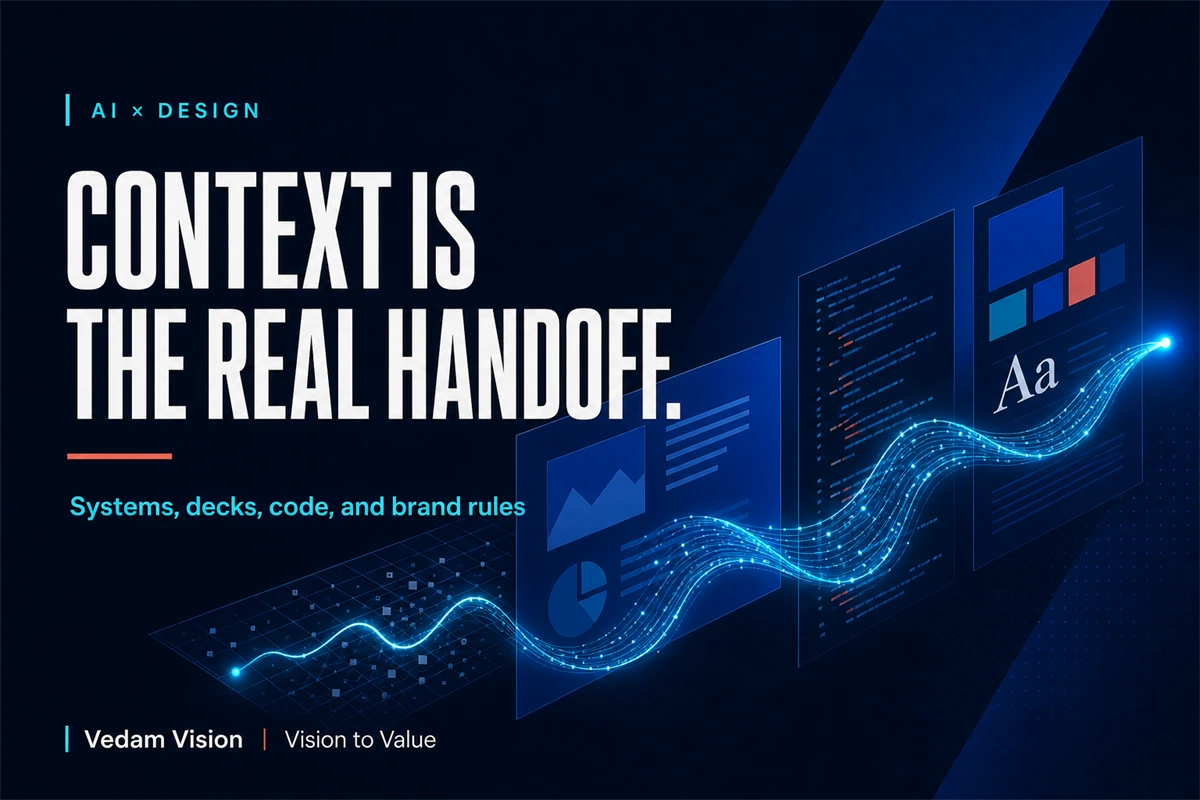
Connected design context means carrying the same decisions about components, variables, content, code, and brand rules across the tools where work is created and shipped. The goal is not to connect tools for its own sake. It is to reduce reconstruction. Start with one source of truth, give every shared rule an owner, connect only the context a workflow needs, and review generated output against the system before it reaches customers.
The value of an AI design workflow is continuity of intent.
Speed matters, but speed without context produces a familiar problem faster: one component looks different in the deck, the coded page uses hardcoded values, the campaign invents a new visual rule, and the product team spends time rebuilding what the design system already knew.
Every handoff becomes a translation. Every translation creates room for drift.
Connected context reduces that drift by helping tools and people retrieve the decisions that should remain stable.
What Figma Means by Portable Design Context
Figma's article “Design context, everywhere you build” describes updates to its MCP server and Code Connect that make design-system and codebase context available in places such as an IDE, AI agent, and prototypes. The stated aim is to move from idea to product with less friction by making context more portable.
Figma's July 16, 2026 release notes add a concrete example. When teams bring code-backed screens onto the canvas through certain workflows, colours, type, and spacing can bind to many variables already in the file instead of arriving only as hardcoded values. The notes also describe more frames arriving with auto layout.
These are product capabilities, not a guarantee of perfect alignment. Teams still need ownership, review, and a clean system. But the direction is useful: context can travel with the work instead of being retyped into every prompt.
This reinforces the argument in why context and custom tools beat longer AI prompts. A long prompt often repeats information a connected workflow should retrieve from a maintained source.
The Four Context Layers That Commonly Break
Design-system context
This includes components, variants, variables, spacing, type, colour, states, accessibility rules, layout behaviour, and usage guidance.
The system should answer practical questions. Which button variant belongs in a high-risk action? What happens at narrow widths? How does the component behave during loading or error? Which token controls the space, and who can change it?
Without those answers, AI may reproduce the appearance of the component while missing its behaviour.
Presentation context
Decks carry narrative decisions: audience, problem, evidence, sequence, and desired action. They often become disconnected from product and brand systems because they are created under time pressure.
Connected context can help a presentation use the same type, colour, imagery, and language rules. More importantly, it can help the deck reflect the current product truth rather than an old screenshot or a founder's memory.
Code context
Code contains implementation truth: components, props, tokens, breakpoints, validation, analytics, permissions, and performance constraints.
If a generated design ignores the codebase, developers must translate it back into existing patterns. If generated code ignores the design system, the product accumulates one-off decisions.
Code Connect and MCP-style workflows can reduce that gap when the underlying system is documented and accessible.
Brand-rule context
Brand rules include more than logos and colour codes. They include position, voice, evidence standards, imagery, typography, layout rhythm, and the situations in which the brand should or should not sound a certain way.
The guide to four layers that build trust beyond a logo explains why a brand becomes recognisable through consistent choices across touchpoints.
AI needs usable rules, not a decorative PDF no one updates.
Start With a Context Map
Before connecting tools, map what the workflow needs.
Use a table with these fields:
- Context item
- Source of truth
- Owner
- Consumers
- Update trigger
- Review method
- Sensitivity
For example, spacing tokens may live in the design-system file and code repository, owned jointly by design and front-end leads. A campaign claim may live in an approved messaging document owned by marketing or product. Customer data may be restricted from external AI tools entirely.
The context map prevents a common mistake: giving an AI system broad access without deciding which information is current, safe, or authoritative.
Connection is useful only when the source deserves trust.
Use One Source of Truth for Each Decision
“Single source of truth” does not mean every fact lives in one file. It means each decision has one authoritative home.
Design tokens may be represented in both design and code, but one process should govern changes. Brand messaging may appear in decks and campaigns, but an approved message library should define the current version. Product features may be described in marketing copy, but the product owner should control the underlying truth.
When two sources disagree, the workflow needs a rule for resolution. Otherwise, the AI system may retrieve the most convenient context rather than the correct context.
Add version or update dates where useful. Archive superseded rules. Remove duplicated templates that people continue to copy.
Context quality matters more than context volume.
Give AI the Minimum Useful Context
More context is not always better. Irrelevant files create noise, increase cost, and make it harder to understand which source influenced the result.
For each workflow, provide the minimum set needed to make a good decision.
A landing-page generation workflow may need:
- Approved audience and offer
- Message hierarchy
- Relevant components and tokens
- Current product evidence
- Accessibility and responsive rules
- Required analytics events
- Prohibited claims
It does not need every historical presentation or an unfiltered folder of campaign drafts.
Use permissions and scoping. Keep confidential, personal, regulated, or customer data out of a workflow unless the tool, contract, policy, and use case support it.
Four Practical Connected-Context Workflows
1. System to implementation
Retrieve component structure, tokens, and code mappings while implementing a screen. Review the result for semantics, responsive behaviour, accessibility, performance, and edge states.
The goal is not pixel imitation. It is system-consistent implementation.
2. Product to deck
Use current product facts, approved screenshots, brand components, and a narrative brief to build a deck. Keep evidence linked to its owner so updates can be traced.
This reduces the risk of a sales deck promising a feature or result the product cannot support.
3. Brand rules to campaign variants
Use an approved campaign idea, channel specifications, voice rules, and visual system to generate format variations. Review each format for hierarchy, safe areas, readability, and platform context.
Automation should scale an approved direction. It should not decide the brand position independently.
4. Live product back to design
Bring implemented screens back into design as editable layers for review, documentation, or iteration. Figma's July 16 notes describe this direction through code-backed screens and variables.
This can help teams compare production reality with the intended system and update either side deliberately.
Create an Ownership Contract
Connected tools can make responsibility less visible. Avoid that by naming owners for four decisions:
- Who owns the source context?
- Who approves changes to the system?
- Who reviews generated output?
- Who is accountable after release?
An AI agent can assemble options. It does not remove the need for human responsibility.
Microsoft's 2026 Work Trend Index similarly puts emphasis on human judgment, intent, and responsibility as agents take on more execution. The operational lesson is that review should move toward consequential decisions, not disappear.
Review for Semantic Drift, Not Only Visual Drift
Visual drift is easy to notice. A colour or type style looks wrong.
Semantic drift is more dangerous. A component still looks correct but now means something different. A “Continue” button submits an irreversible action. A brand message changes from a careful claim to an absolute promise. A deck uses an old metric with a new date.
Review generated work at three levels:
- System: does it use the approved component, token, and content pattern?
- Meaning: does the language, interaction, and state communicate the intended decision?
- Outcome: does the work support the user and business result?
This is why design direction matters more as execution speeds up. Faster production raises the value of clear intent and disciplined review.
Measure Whether Connected Context Helps
Track indicators that reflect less reconstruction and less drift:
- Time spent finding approved assets or rules
- Number of one-off components or hardcoded values
- Rework caused by brand or design-system mismatch
- Handoff questions and approval loops
- Accessibility defects
- Differences between design and production
- Time needed to update a rule across outputs
Do not measure only generation speed. A workflow that creates a draft in minutes but adds hours of correction has not improved the system.
Run a controlled pilot on one repeated workflow. Compare the baseline, review effort, defects, and final quality. Expand only when the operating result improves.
Final Takeaway
Connected design context is valuable because it helps intent survive movement between systems, decks, code, and brand rules.
Start with clean sources, named owners, limited access, and a context map. Connect the information a workflow genuinely needs. Review meaning and outcomes, not only appearance.
The goal is not a web of integrations. The goal is less reconstruction, less drift, and more time for the decisions only the team can make.
Frequently Asked Questions
What is connected design context?
It is the structured information about components, variables, code, content, and brand rules that can be retrieved across the tools where teams design, build, present, and publish work.
Does connecting Figma to an AI agent guarantee correct output?
No. The quality depends on the source files, permissions, mappings, prompts, implementation context, and human review. Connected context reduces some reconstruction but does not remove responsibility.
Which context should a small team connect first?
Start with a repeated, high-friction workflow and connect only the approved components, tokens, messaging, product facts, and constraints it needs.
How should sensitive information be handled?
Classify the information, review tool and contract conditions, limit permissions, and keep confidential, personal, customer, or regulated data out unless the use is explicitly supported and governed.
How can a team measure the value of connected context?
Track rework, one-off components, hardcoded values, handoff questions, approval loops, accessibility defects, update effort, and the total time to reach a reviewed production result.