Quick Answer
A useful weekly AI release scan takes less than an hour. Review official sources from the tools your business actually uses, record the release date and availability, map each change to a real workflow, score the possible value and risk, and choose at most one reversible test. Ignore releases that do not change a decision. Update the log after the test so news becomes operating knowledge rather than another stream of alerts.
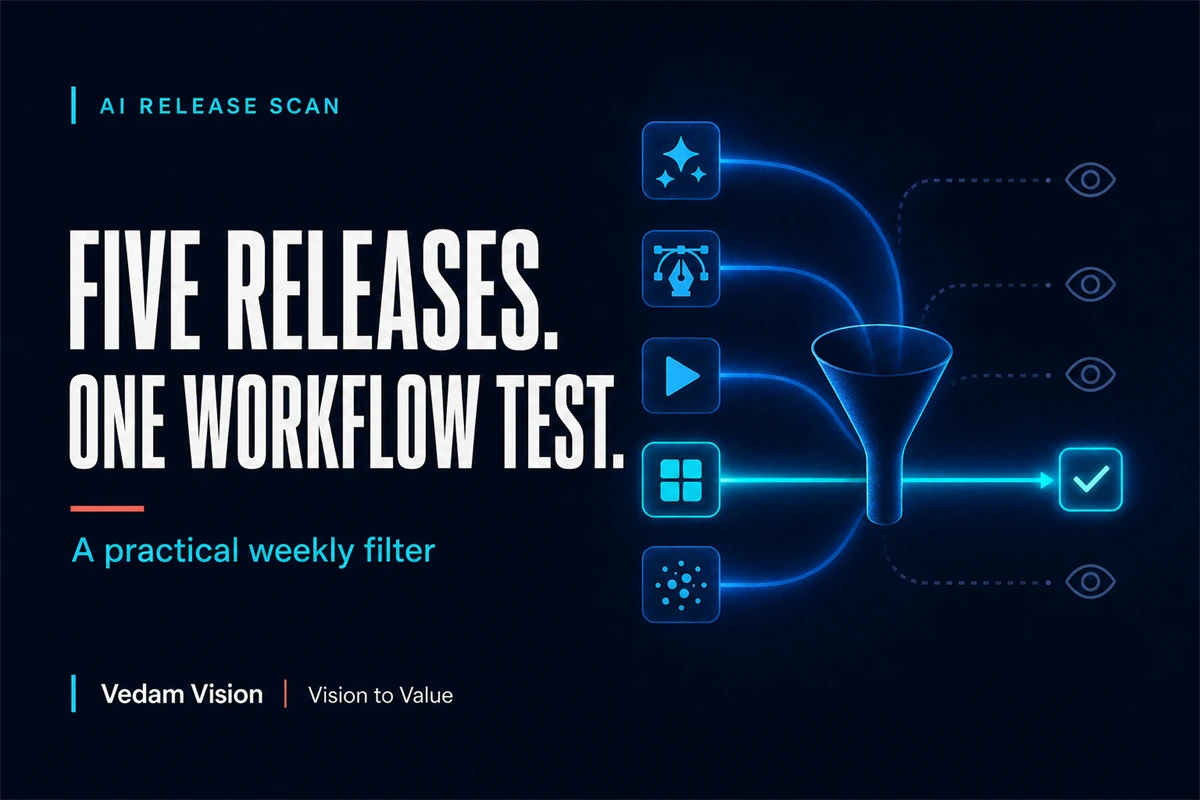
Five releases can happen in a week. Only one may deserve a place in your workflow.
The challenge is no longer finding AI news. It is filtering announcements without confusing novelty with value.
A founder or team can lose several hours watching demonstrations, reading summaries, and saving launch posts. The result is often a list of tools with no controlled test, owner, or business outcome.
A weekly release scan should make fewer decisions, not create more tabs.
Why the Scan Must Use Official Sources
Secondary coverage can help explain context. The factual record should begin with the organisation that shipped the change.
Use official release notes, product documentation, company announcements, security advisories, pricing pages, and availability details.
Record:
- Product and feature
- Source link
- Source date
- Availability or preview status
- Plan, region, or platform limitations
- Material change
- Workflow that may be affected
- Owner
- Decision: ignore, watch, test, or adopt
This protects the team from a common problem: a social summary describes a demonstration as general availability or turns a narrow benchmark into a universal performance claim.
The article on direct answers beating vague thought leadership supports the same editorial principle. State what the source actually says and connect it to a useful decision.
A Current Example Scan as of July 18, 2026
The following examples were already public by July 18, 2026. They illustrate the method. They are not claims about what will launch in August.
OpenAI: GPT-5.6, July 9, 2026
OpenAI announced the GPT-5.6 family for general availability on July 9, 2026. Its product page describes Sol, Terra, and Luna options with different capability and efficiency positions.
Possible workflow question: does the available model improve a difficult research, coding, design, or knowledge-work task enough to justify its cost and review requirements?
Do not decide from the launch page alone. Test the task, output quality, latency, cost, failure cases, and human review time.
Google: AI transparency in ads, July 9, 2026
Google announced additional information in My Ad Center for ads created or altered with generative AI, including automatic disclosure treatment for relevant Google generative AI advertising tools.
Possible workflow question: does the marketing production system record provenance, claims, approval, and the platform disclosure before upload?
This release may change governance before it changes creative performance.
Figma: code-backed screens with variables, July 16, 2026
Figma's release notes describe bringing code-backed screens onto the canvas with many colours, type, and spacing values attached to existing variables instead of only hardcoded values in supported workflows. The notes also describe more frames arriving with auto layout.
Possible workflow question: can this reduce reconstruction when teams review production screens or move between code and canvas?
The relevant measure is not generation speed alone. Measure one-off values, cleanup time, and system drift.
Adobe: Firefly agentic capabilities, June 18, 2026
Adobe announced new Firefly AI Assistant capabilities in beta and previewed an upgraded creative AI studio experience. The post describes workflows from ideation through production and coordinated creative tasks.
Possible workflow question: can one campaign variation process become faster while preserving brand review, rights, and asset provenance?
Preview and beta labels matter. Test only where the current account and terms support the intended use.
Canva: AI 2.0 research preview
Canva's official announcement describes AI 2.0 as a research preview with conversational design, agentic editing, layered object intelligence, memory, and several intelligent workflows. The page says generated output remains layered and editable.
Possible workflow question: can a team move from a brief to editable multi-format drafts without losing brand or message hierarchy?
Again, preview status and availability should be recorded. The announcement is a test candidate, not proof of a business result.
Step 1: Define the Tools and Workflows Worth Watching
Do not scan every AI company.
Choose a watchlist based on the business:
- Tools already used in production
- Platforms connected to customer journeys
- Vendors under evaluation
- Critical security and infrastructure providers
- A small number of relevant alternatives
Map each tool to a workflow. OpenAI may relate to research or development. Figma may relate to design-system and implementation handoff. Adobe and Canva may relate to campaign production. Google updates may affect advertising, analytics, search, and commerce.
If a release cannot be connected to a current or planned workflow, it belongs in ignore or watch, not test.
Step 2: Use Four Decision Buckets
Ignore
No relevant workflow, unavailable in the required environment, weak fit, unacceptable risk, or no meaningful change.
Ignoring is a decision. Record one sentence so the team does not revisit the same launch repeatedly.
Watch
The change may matter later, but availability, evidence, integration, price, or risk is unresolved.
Add a review trigger, such as general availability, India availability, API access, security documentation, or a customer need.
Test
The change maps to a real workflow and can be evaluated safely with a baseline, owner, and stopping condition.
Adopt
The test improved an outcome enough to justify integration, documentation, training, monitoring, and ongoing cost.
Do not jump from announcement to adoption.
Step 3: Score Business Value, Not Launch Excitement
Use five questions:
- Which task changes?
- Is the potential benefit speed, quality, control, cost, or risk reduction?
- How often does the task occur?
- What new failure mode appears?
- What evidence would justify keeping the change?
Add a simple high, medium, low rating for impact, confidence, effort, and risk.
The score is a conversation aid, not mathematical truth. A high-impact, low-confidence release may deserve a small experiment. A low-impact release should not enter the workflow merely because the demo is impressive.
The AI design and business triangle offers a related test: capability matters only when it connects to usable work and commercial value.
Step 4: Choose One Reversible Test
A good weekly scan should usually produce zero or one tests.
Define:
- One task
- Current baseline
- Input data allowed
- Tool and version
- Review owner
- Test cases
- Quality and risk checks
- Time and cost limit
- Success threshold
- Stopping condition
- Decision date
Use reversible, lower-consequence work first. A draft, internal comparison, or sandbox implementation is safer than immediate autonomous customer action.
The guide on AI implementation from pilot to production explains why a controlled pilot needs ownership, measurement, and a path to stop.
Step 5: Measure Total Workflow Cost
Generation time is only one part of cost.
Measure:
- Setup
- Prompt or configuration work
- Data preparation
- Review and correction
- Integration
- Training
- Monitoring
- Subscription or usage cost
- Failure and rollback
- Documentation
A tool that creates a draft in seconds can still add hours of correction or governance work.
Compare the reviewed result with the baseline. If quality is higher but review cost doubles, decide whether the improved outcome justifies the tradeoff.
Step 6: Update a Release Decision Log
Use one table:
| Date | Tool | Release | Workflow | Decision | Owner | Next review |
|---|---|---|---|---|---|---|
| 2026-07-09 | Google Ads | AI ad transparency | Creative governance | Test process | Marketing owner | After first eligible campaign |
| 2026-07-16 | Figma | Code-backed variables | Code to canvas review | Watch or test | Design lead | After supported workflow setup |
Add a short result after every test. Record why the team adopted or rejected it.
This turns announcements into organisational memory. Without the log, the same tool can be tested repeatedly by different people.
Step 7: Separate Release Monitoring From Security Monitoring
Product news is optional. Security advisories may require action.
Maintain a separate process for vulnerabilities, deprecations, data-policy changes, outages, and mandatory migrations. Assign owners and escalation deadlines.
Adobe's July 2026 security announcement, for example, described moving to twice-monthly publication of bulletins and advisories that include formally published CVEs requiring customer action. That is an operational update for security owners, not a creative test candidate.
Do not bury urgent maintenance inside a weekly inspiration list.
A 45-Minute Weekly Rhythm
10 minutes: collect
Open the official sources for the watchlist. Capture only material changes.
10 minutes: verify
Record date, status, availability, limitations, and source.
10 minutes: map
Connect the change to a workflow and consequence.
10 minutes: decide
Assign ignore, watch, test, or adopt. Select no more than one test.
5 minutes: assign
Name the owner, baseline, next action, and decision date.
If no release earns a test, the scan still worked. It protected the team from unnecessary change.
What to Share on LinkedIn
A release summary becomes useful content when it includes:
- What changed, with date and official source
- What the source does and does not claim
- Which workflow may change
- One practical test
- One risk or limitation
- One question for practitioners
Avoid rewriting the press release. Add judgment and consequence.
This is how a founder can discuss trending tools without becoming a news aggregator.
Final Takeaway
A useful release scan is a decision system.
Watch only relevant tools. Begin with official sources. Record date and availability. Map the change to a real workflow. Choose at most one reversible test. Measure the complete reviewed result. Keep the lesson in a decision log.
Five launches can happen. The business may need none of them. Discipline is knowing which signal earns a test.
Frequently Asked Questions
How often should a small business scan AI releases?
A weekly scan is enough for many teams, with separate urgent monitoring for security advisories, outages, mandatory migrations, and material policy changes.
Which sources should be included?
Use official release notes, product documentation, security advisories, company announcements, pricing pages, and availability details for tools connected to real workflows.
How many new tools should a team test each week?
Usually zero or one. Limit tests so each has a baseline, owner, review, and decision rather than creating a queue of unfinished experiments.
What makes an AI release worth testing?
It maps to a repeated or consequential workflow, offers a plausible improvement in speed, quality, control, cost, or risk, and can be evaluated safely with clear evidence.
How should release-scan findings be stored?
Keep a simple log with date, source, availability, workflow, decision, owner, test result, and next review trigger so the organisation retains the learning.